Every restaurant, trail and city you visit becomes an entry — on a map and as a journal. For yourself, not for followers. Private, offline-first, no subscription.
Free up to 100 entries · Unlock unlimited for €4.99 once · iOS 17+
Photos capture the surface. A travel diary app captures the context — what the place felt like, who you were with, why it mattered. Three years later, the difference shows.
A camera roll shows you what you saw — not where it was, what it was called, or why it stood out. The restaurant you loved becomes an unlabelled photo of a table. The trail you hiked has no name attached. A travel journal keeps the story behind the image.
Most travellers can recall destinations but forget the specifics: the side-street café in Porto, the viewpoint above the town, the bar where the evening turned. A trip diary anchors every place with a note, a photo and a GPS pin — so you can find it again, or just remember it clearly.
Instagram is a public feed. Remember is a private travel diary — no followers, no likes, no algorithm. Everything you record stays on your device and in your iCloud. Made in Munich, fully GDPR compliant, no account required.
Travel journals and apps that help you remember your trips should be something you own, not rent. Remember costs €4.99 once. No monthly fees, no yearly renewals. Yours as long as you want it.
A travel diary that works as a map and as a timeline. Every entry lives in both views — find places spatially or browse your trip chronologically.
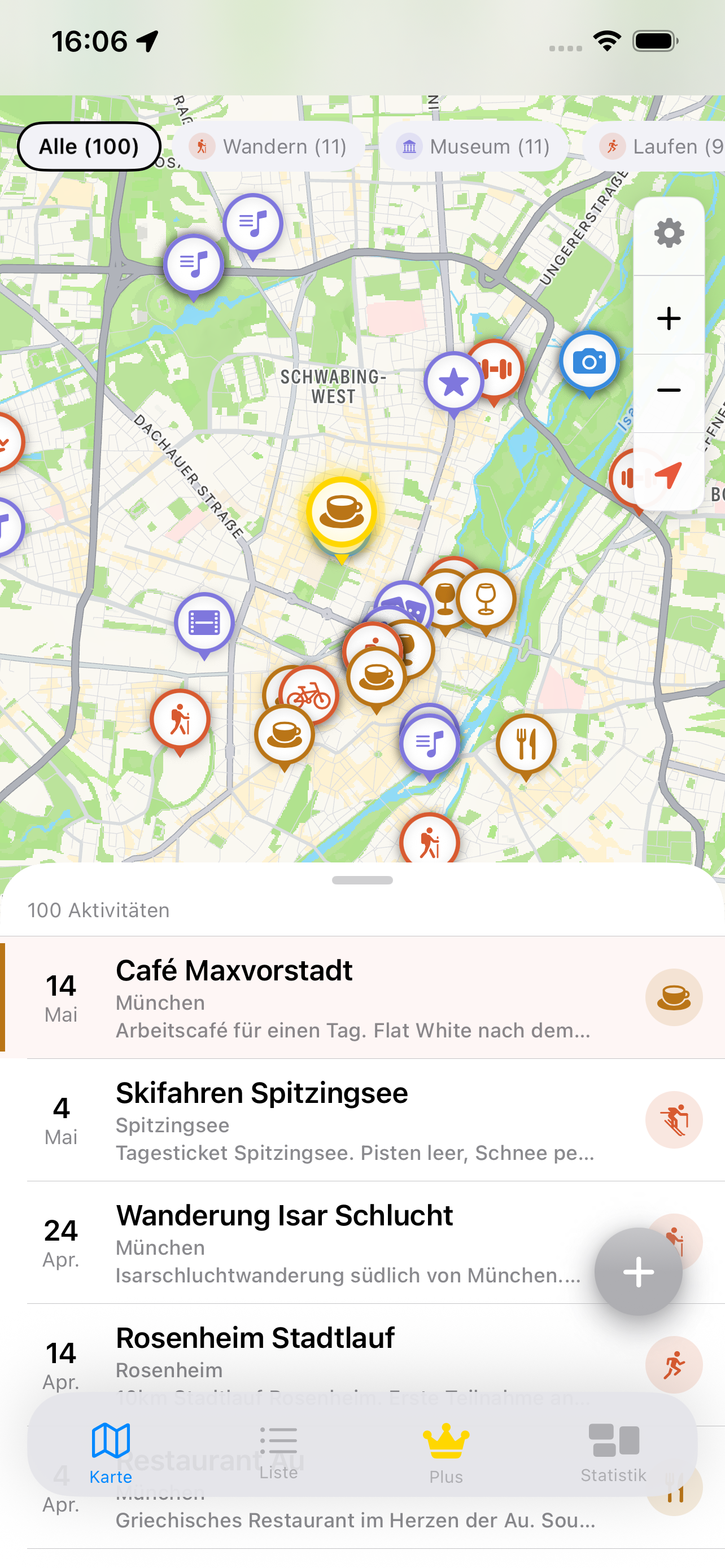
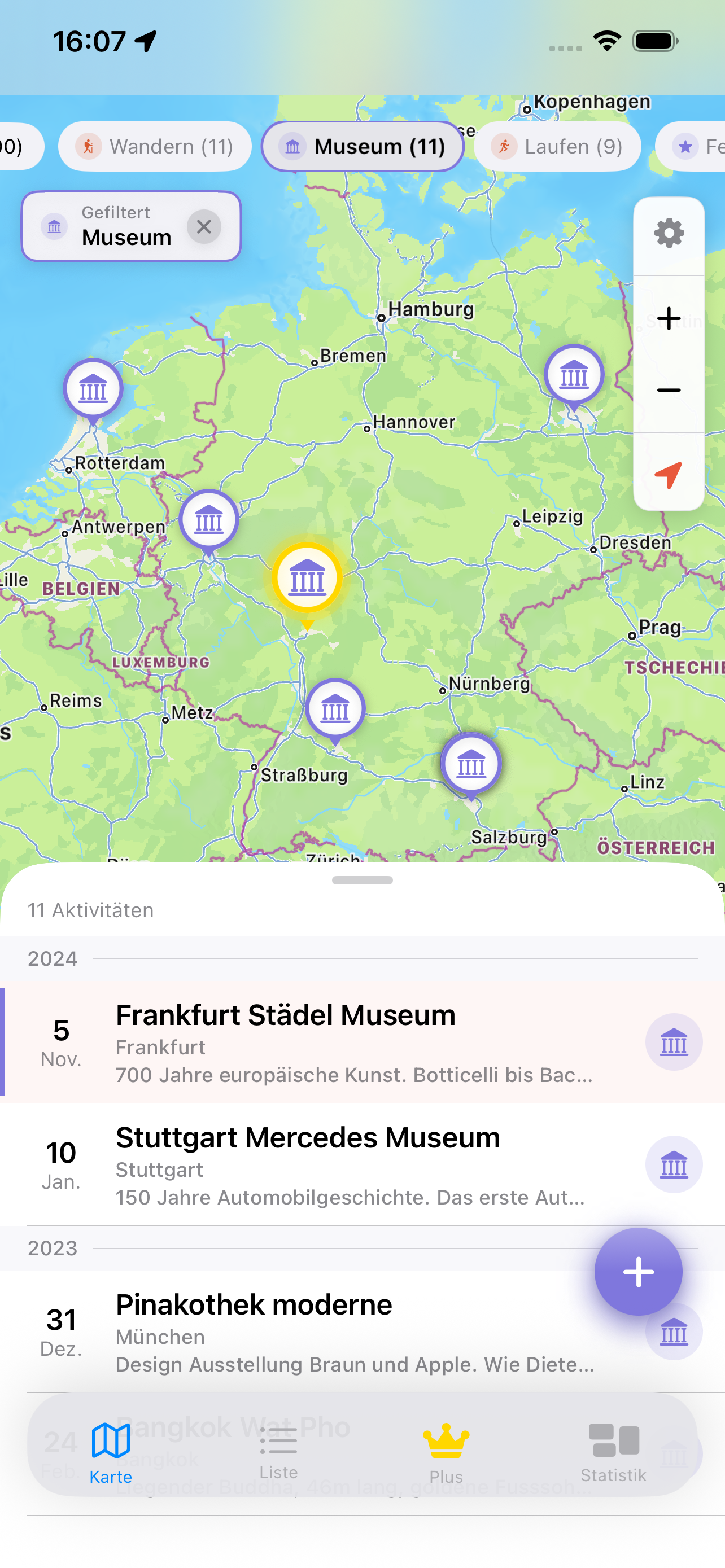
Every journal entry becomes a pin on an interactive Apple Maps view. Zoom out and see a whole trip — every restaurant, hike and city — at once. Zoom in on a destination to find every memory you made there. Your travel history as a map you can actually explore.
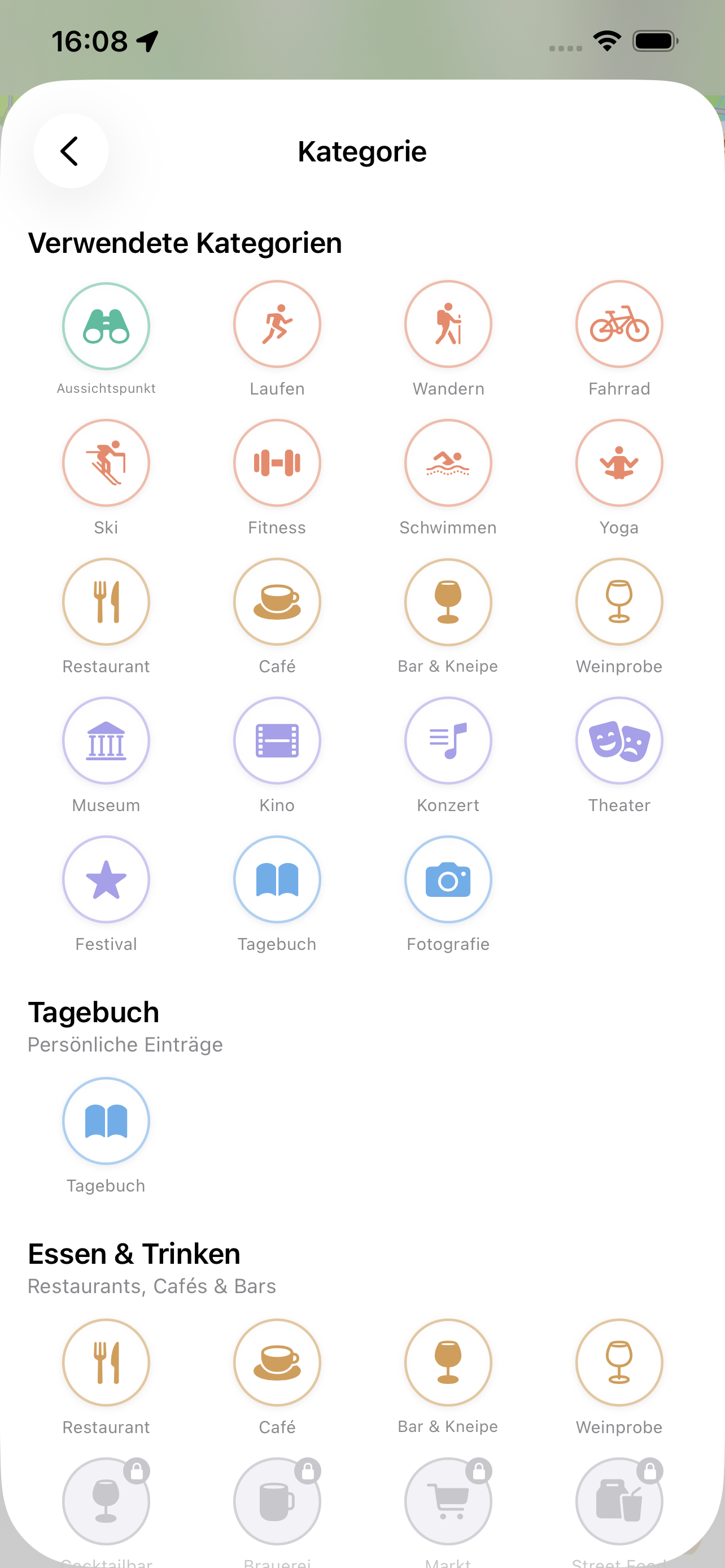
Log restaurants with a note and rating, trails with distance and conditions, hotels, viewpoints, museums, local markets — anything worth remembering. Add photos, set the date, write what made it worth remembering. 100 categories for every kind of travel experience.
No signal? No problem. Create entries, write notes, add photos and capture your GPS location entirely offline. Useful on remote hikes, in areas with poor coverage, or when you'd rather not use data abroad. Everything syncs via iCloud when you reconnect.
Both capture your travels. They do it for different purposes and in very different ways.
| What matters | Photo apps / social | 🗺️ Remember |
|---|---|---|
| Purpose | Share with others | Remember for yourself |
| Searchable by place name | ✗ | ✓ |
| Interactive map of all entries | ✗ | ✓ |
| GPS auto-location per entry | ✗ | ✓ |
| Notes + ratings per place | ✗ | ✓ |
| Works offline / no signal | ✗ | ✓ |
| No account required | ✗ | ✓ |
| Data stays private (GDPR) | ✗ | ✓ |
| No subscription | varies | ✓ |
| Photos per entry | ✓ | ✓ |
| Chronological timeline | ✓ | ✓ |
Data correct as of June 2026. Without guarantee.
Screenshots from the current version of Remember on iPhone.

Map view with all your travel pins

Log a place in seconds

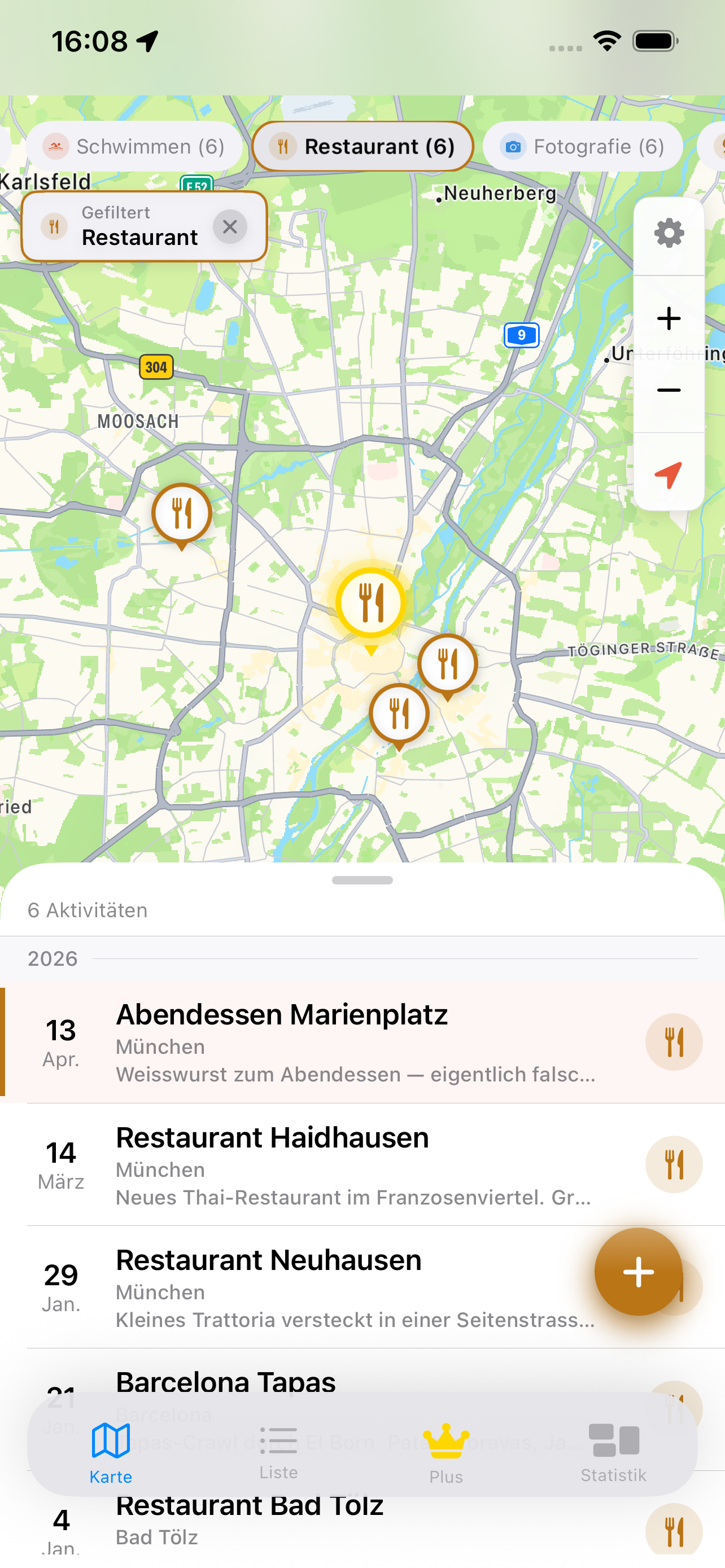
Journal timeline of your trip

Entry detail — place, note, rating
Hi, I'm Florian — an indie iOS developer from Murnau am Staffelsee, near Munich. I travel a fair amount within Germany and Europe — weekend trips in the Alps, city weekends, longer journeys further out. After a while, the photos started blurring together. I'd remember a trip but couldn't remember where exactly that hike started, what the restaurant was called, which town that viewpoint was near.
The camera roll wasn't enough. It captured what I saw but not where, when, with whom, or why it mattered. I tried various notes apps and journaling tools, but nothing let me see my travels the way I actually thought about them: spatially. I wanted to look at a map and see everywhere I'd been, zoom into a city and find every place I'd recorded there.
So I built Remember. Map view first, because that was the thing I actually wanted. Every entry is tied to a GPS location. Zoom out and see years of travel on a single map. Zoom in on any city and find every restaurant, trail and memory you logged there.
I also made it offline-first — because the moments worth capturing often happen where signal is weakest. And no subscription, because a travel journal is something personal. You should own it, not rent it.
Common questions about using Remember as a travel journal and trip diary app.
Yes. You can create entries, write notes, add photos, assign categories and record your GPS location entirely offline. The map view needs an internet connection to load map tiles from Apple Maps, but GPS location recording works without any signal. Everything syncs via iCloud automatically when you reconnect. Useful for remote hikes, international travel, or anywhere you'd rather not use data roaming.
Yes, completely. All journal data is stored locally on your iPhone. There is no Remember server, no advertising, no behavioural tracking, and no third-party data sharing. Sync is via Apple iCloud — controlled entirely by your iPhone's iCloud settings. The app is built in Munich, Germany and is fully GDPR compliant. No account is required to use Remember.
No. Remember costs €4.99 once, paid through the App Store. The free version supports up to 100 entries — enough to try the app across a whole trip before committing. One payment unlocks unlimited entries forever. No annual renewals, no price increases, no in-app advertising. If a major new version ever requires a new purchase, you'll know well in advance.
Yes. Every entry appears as a pin on an interactive Apple Maps view — you can see an entire trip spatially at once, or zoom out to see your whole travel history on a single map. You can also browse all entries chronologically as a journal timeline. Both views are always available, and you can filter by category — restaurants, hikes, hotels, and so on.
Download Remember and start mapping your travels. No account, no subscription, no commitment. Your first 100 entries are free.
Download on App Store — Free€4.99 once for unlimited entries. No subscription. iOS 17+.